Reporting
The Reporting App provides a tool to quickly generate seismic report (daily, weekly, monthly or else).
Supporting Data Type
- Seismic suite data (events, blasts)
Key Learning
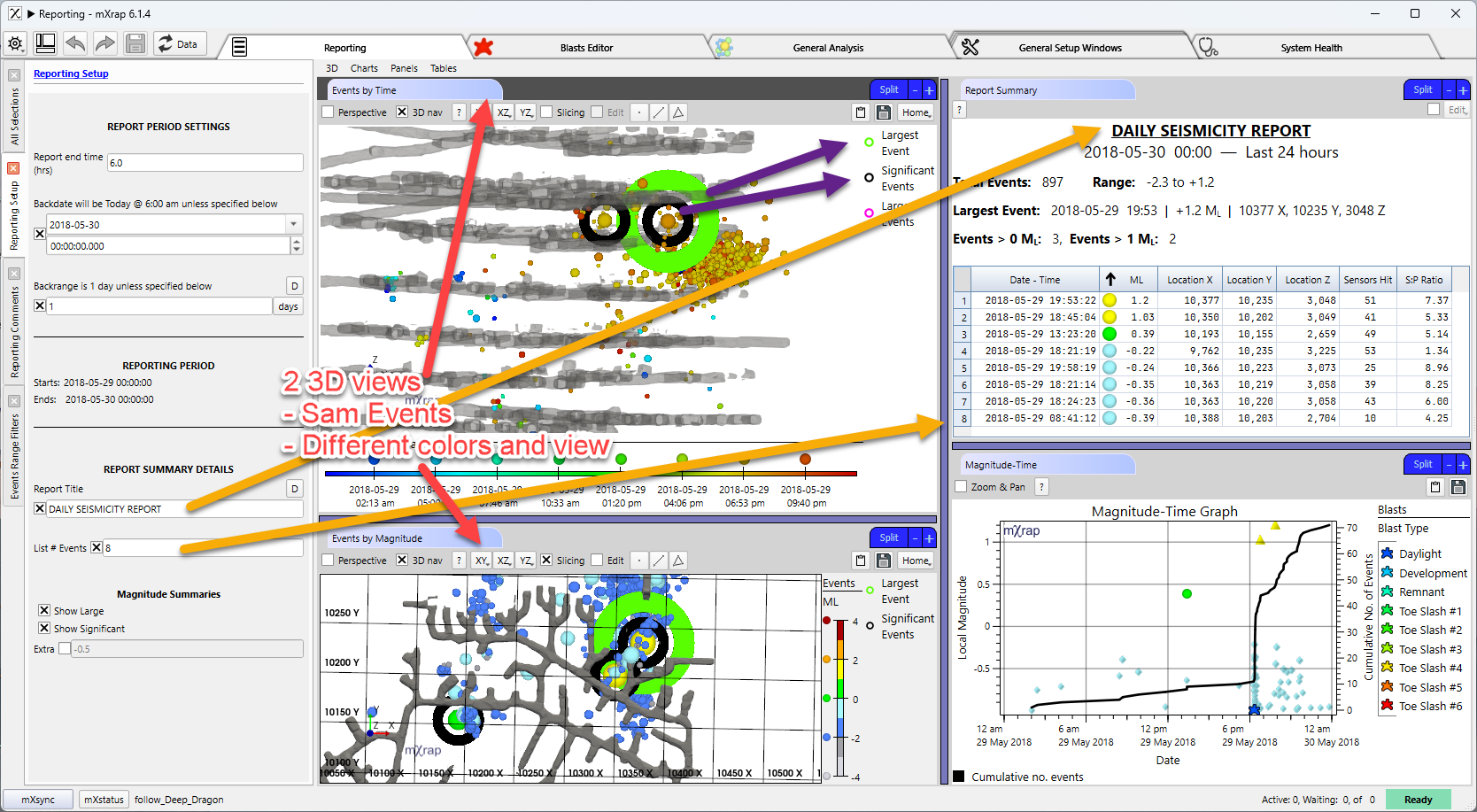
Quick overview in table with headers
- #Events
- Magnitude event range
- Largest events details (date/time, magnitude, location)
- Number of Large events
- Number of Significant Events
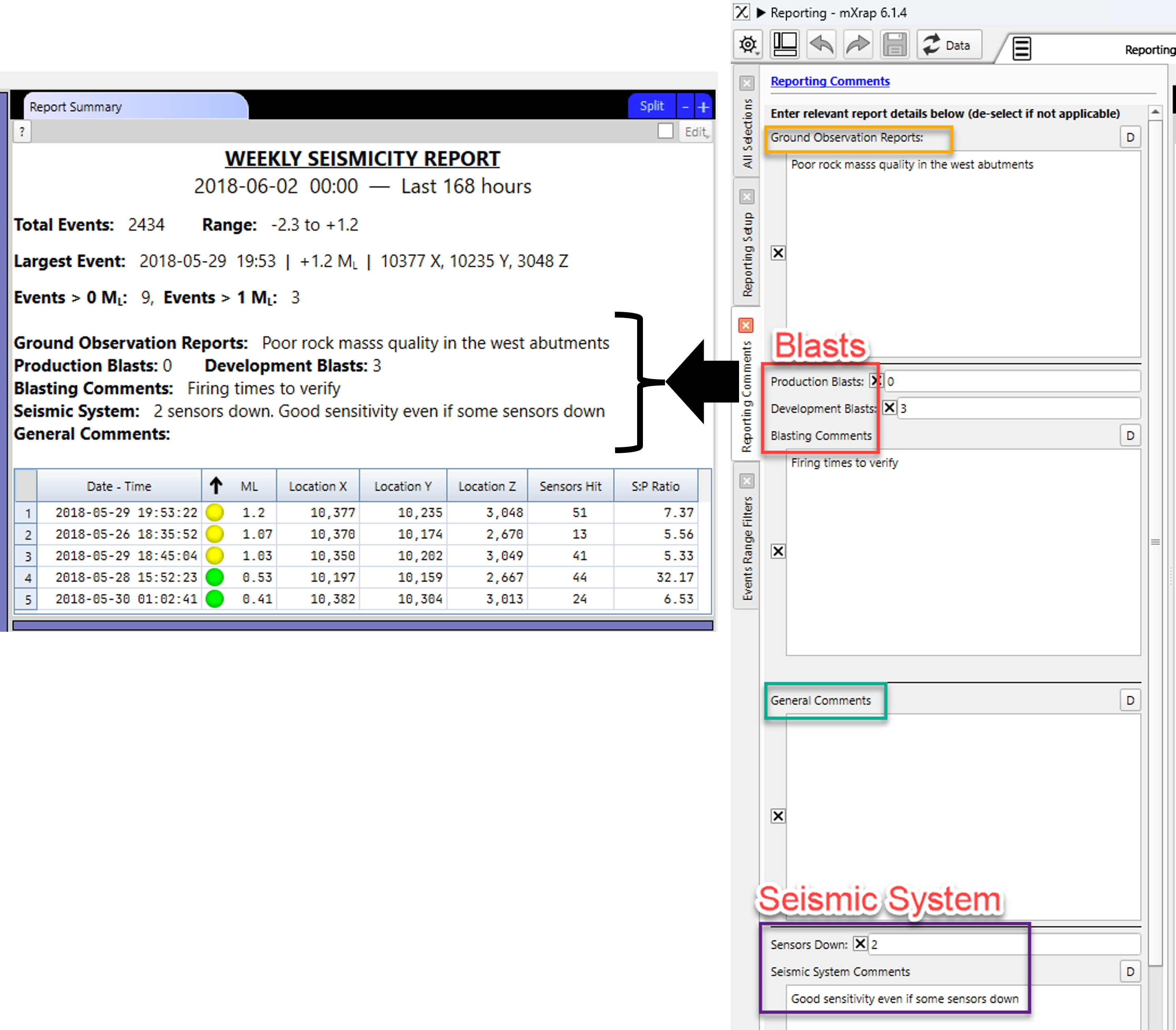
- General Comments
3D view
Multiple pre-set 3D views
- Events coloured by time (home view)
- Events coloured by magnitude (home view)
- Cross section
Best practice
Use the 3 different 3D views to save different view (cross section, top view, etc.) for what you want and save as a workspace to keep the same report after report
Reporting setup
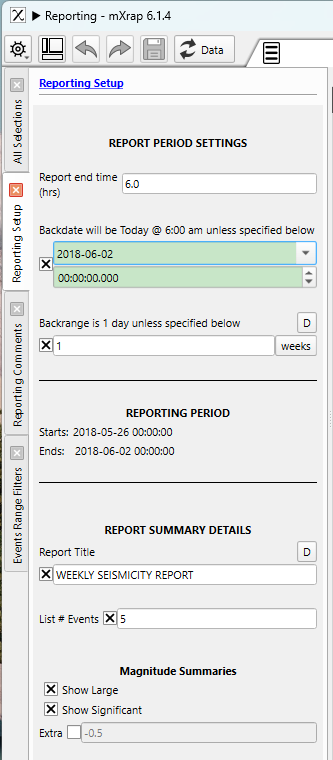
Multiple options can be adjusted quickly in this panel:
- Report End Time (h)
- Backdate (if else than now)
- Backrange
- Clear state of the reporting period
- Report summary details
- Report Title
- Number of events to list in table
- Magnitude summaries to show in table: Show large, significant, and extra series
Reporting Comments
Different pre-built sections of comments exist. If a comment section is ticked, it will show as a header in the table.
Authors
Principal:
Citation
Morkel, IG 2026, mXrap software app, Mine Seismicity - Reporting, Australian Centre for Geomechanics, Perth, https://mxrap.com/