Licence Server Guide
Server write access
The server needs to be set up to allow users to have write access. This has to be done on the server computer, and only needs to be done once for all users. To do so:
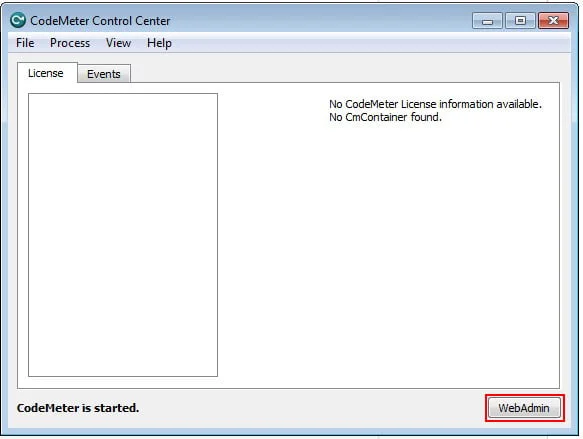
- Open the CodeMeter Control Centre from your system tray

- Click the WebAdmin button
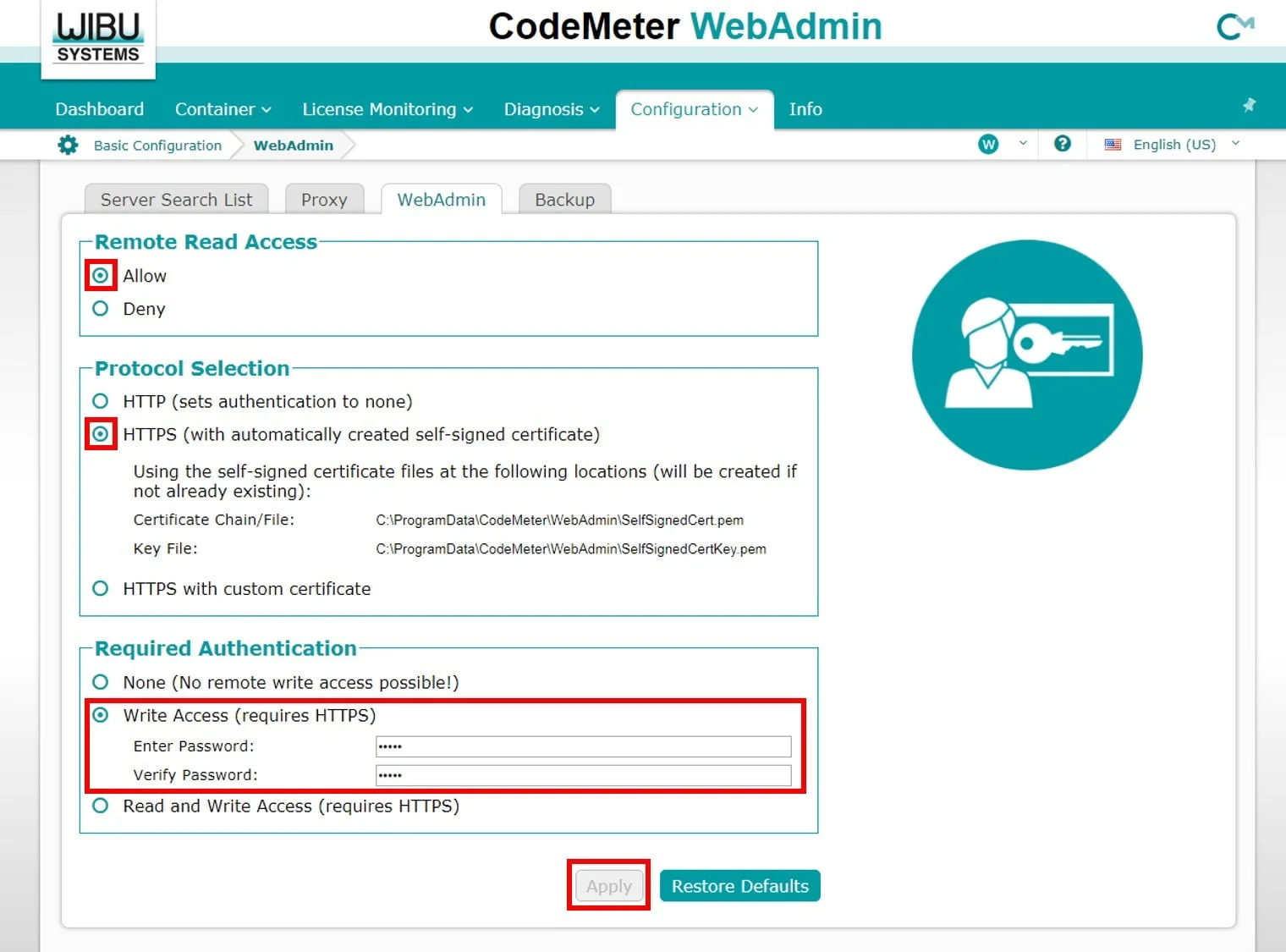
- Go to Configuration -> Basic -> WebAdmin. Change the settings to match below. Please email with the password (we suggest something easy to remember). Then press apply.