Per-Stope Editors
Purpose
This window contains utilities which allow the user to edit some per stope parameters. It also allows the user to assign stope tags
Rename Stope
Purpose
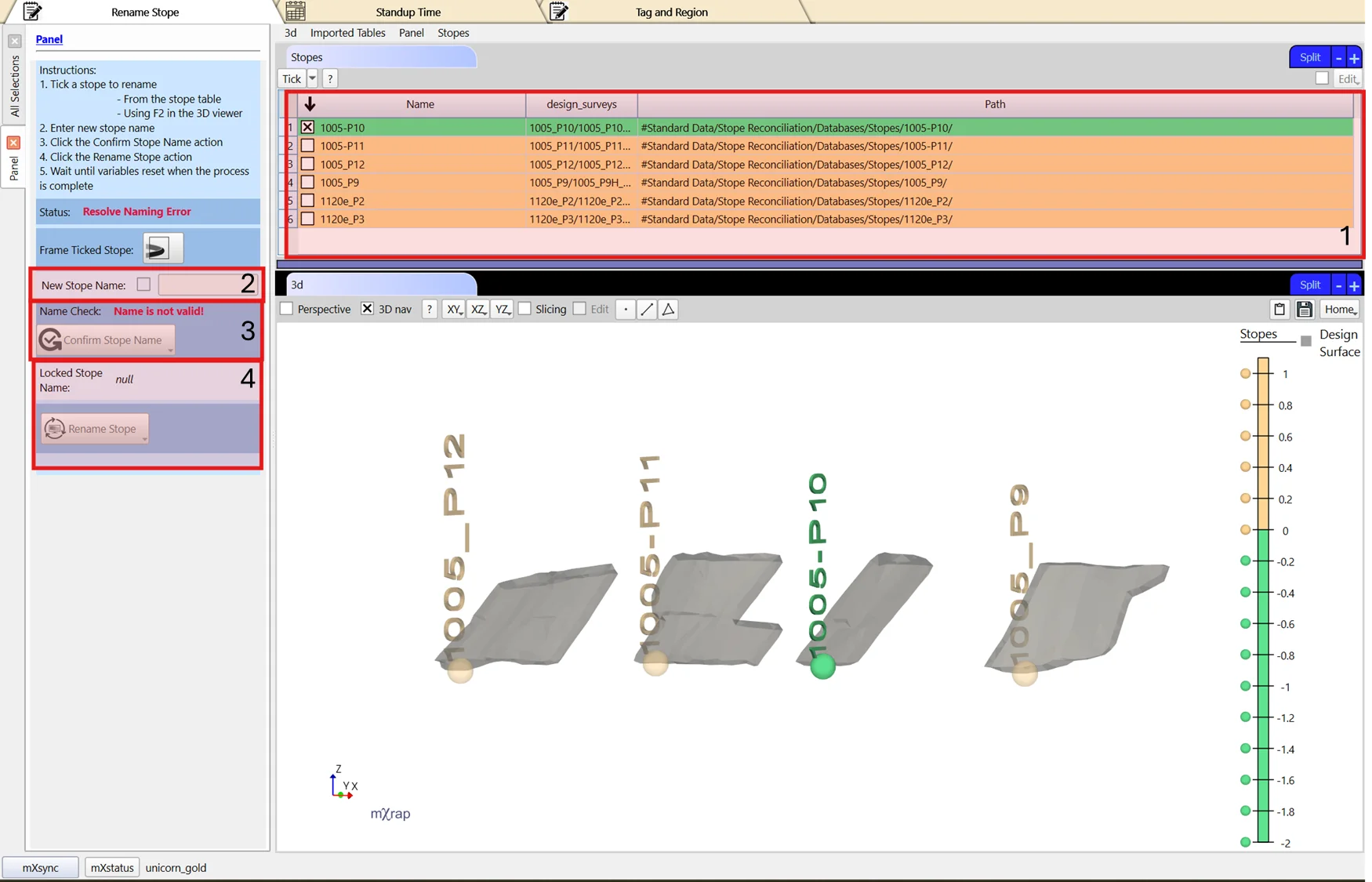
This tool allows you to rename a stope. Simply changing the name of the folder that holds the stope database files does not rename the stope due to the name being saved inside database files. It is also important that the folder name is consistent with the internal name across files. This tool takes care of renaming all the files internally and ensures the external folder name is consistent.
Steps
- Tick a stope from the table view.
- Enter a new stope name.
- Confirm Stope Name
- Click Rename Stope to edit the database.
Standup Time
Purpose
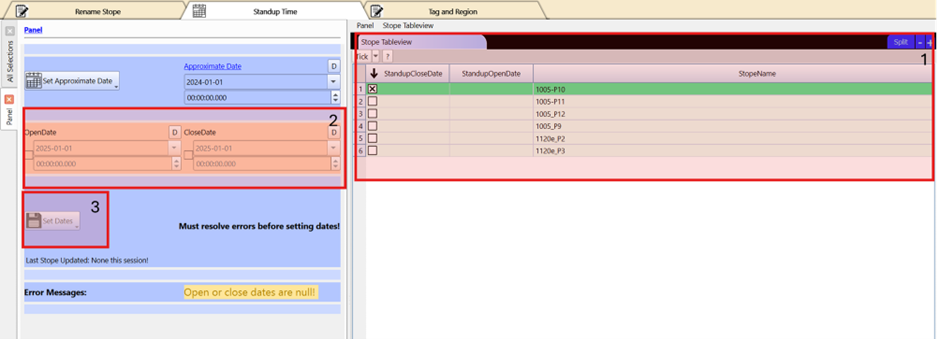
This tool allows users to edit standup dates for a stope.
Steps
- Tick a stope from the table view.
- Set the Open and Close Date
- Click Set Dates to update the database
Tags and Regions
Purpose
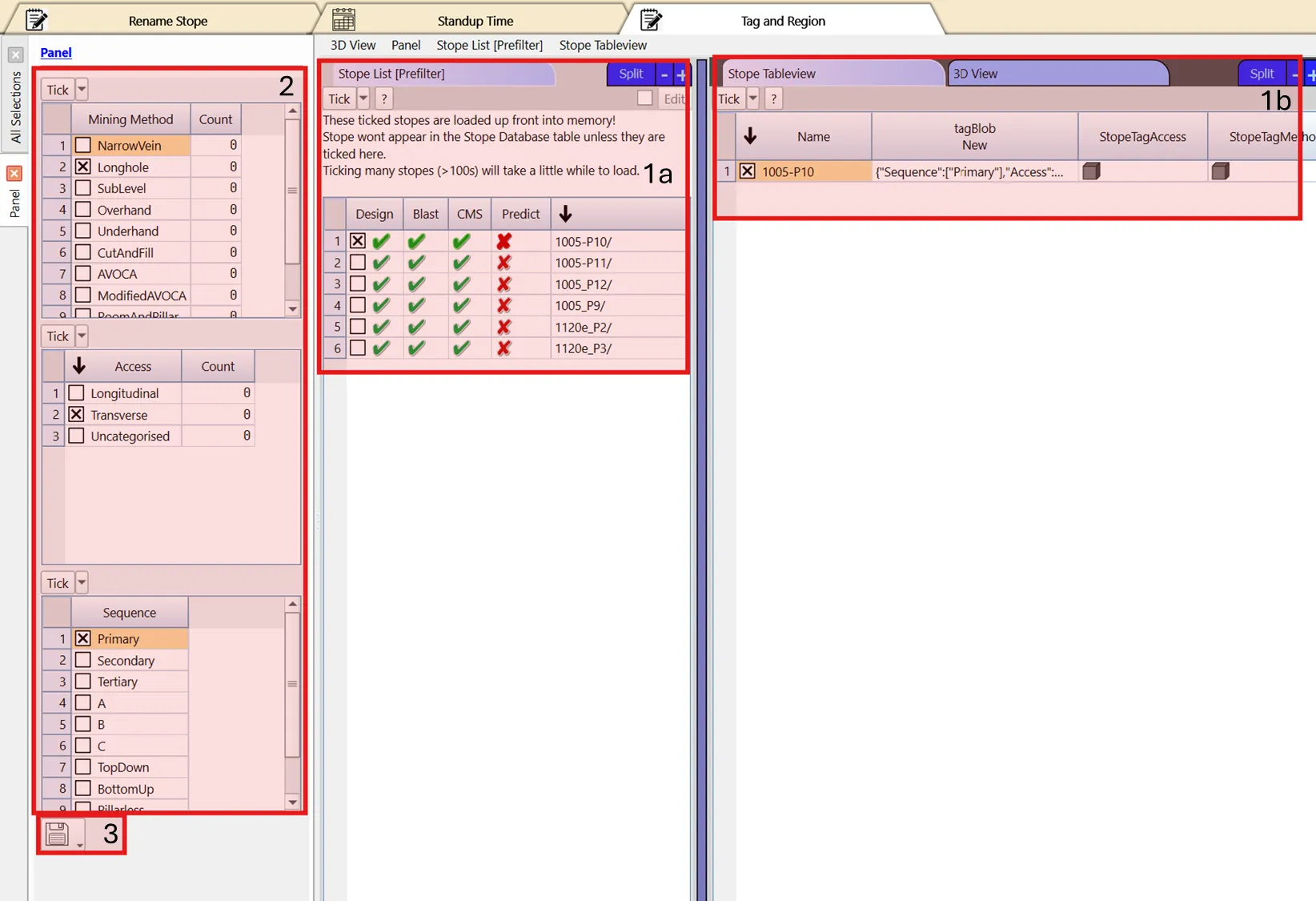
This tool allows users to add mining method, access and sequence tags to a stope. The region tags for stopes are automatically assigned from the selection volumes saved in the 3D view.
Steps
- Tick a stope from the table view.
- Set mining method, access and sequence tag for a stope. All tags must be set but there is an uncategorised option if a tag is not applicable.
- Click Save Stope Tag to update the database
To configure a new region volume:
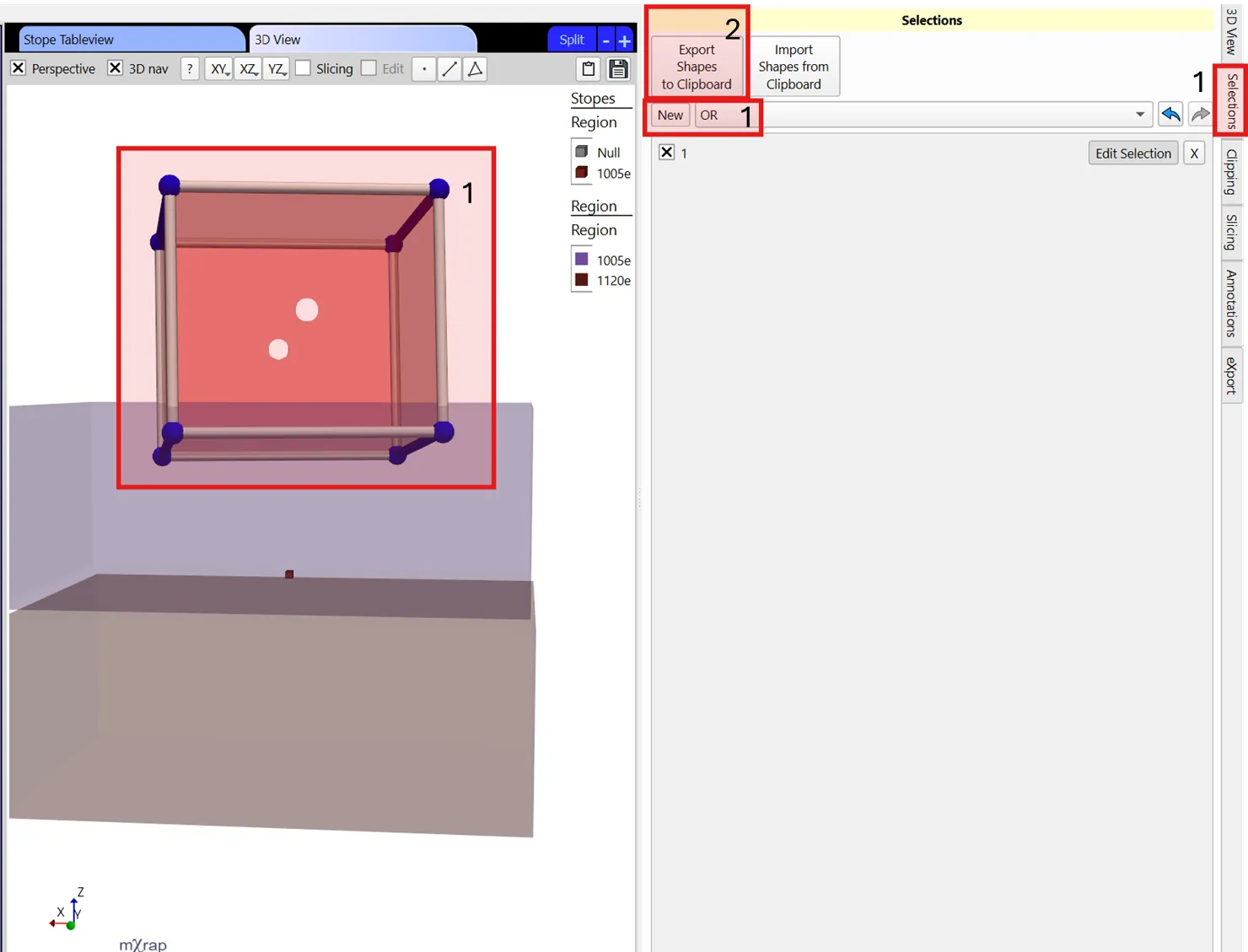
- Click the windows Selections Tab and make a new selection that captures mining region
- Click the Export Shapes to Clipboard then navigate back to this panel
- Check the box in the top right corner of the table below
- Click Edit, then from the dropdown menu, Inset one row
- Double click on the new cell in the Region column and enter a name
- Double click on the new cell in the ShapeBlob column and paste the selection previously exported to your clipboard
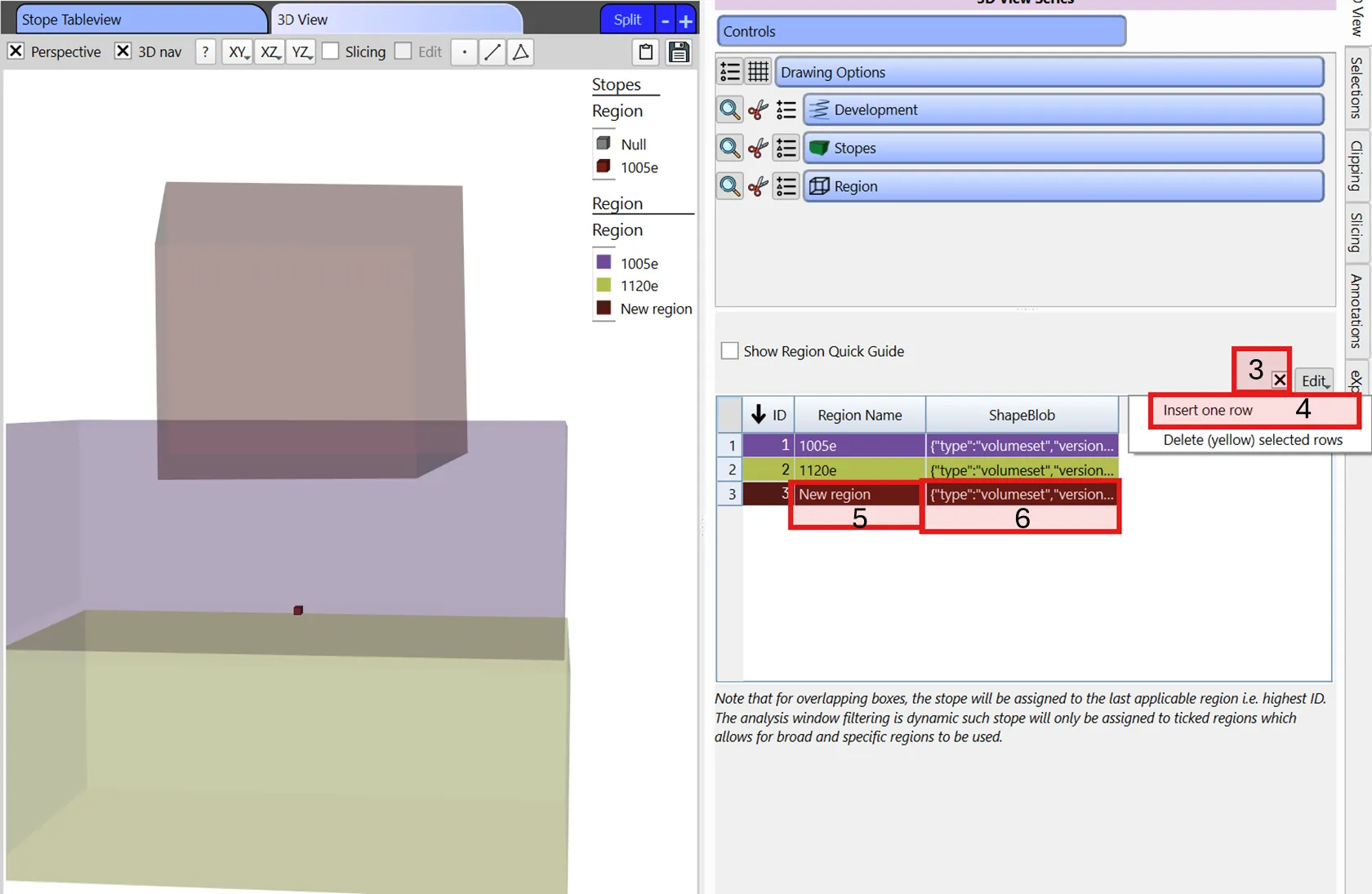
Note that for overlapping boxes, the stope will be assigned to the last applicable region i.e. highest ID. The analysis window filtering is dynamic such stope will only be assigned to ticked regions which allows for broad and specific regions to be used.