Octree Setup
Purpose
Generate the octree block model.
Steps
-
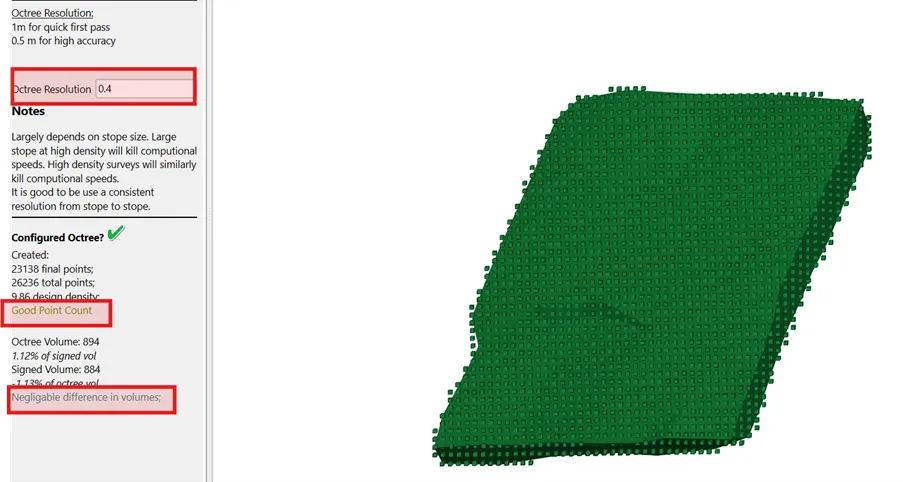
Set Resolution - Suggested: 0.5 Narrow Vein, 0.75 Intermediate, 1.0 Large Stopes.
-
Check in 3D Viewer - Review design (green) blocks.
Bonne pratique
If unsure of the resolution, look in the panel to see what we think of the point count. The octree point should be close to the design surface. This will make things easier in the next step when distinguishing the faces.
In the panel, review that the signed volume is approximately the octree volume (<5%). Large errors usually mean internal or non-closed surfaces.