Block Accumulation
In this window we will create many different DFN realisations from our DFN input parameters. For each DFN realisation the app will search for tetrahedral blocks which form on the outside of the excavation surface, and then save those blocks into the project folder.
If the project has been set up and activated then you should see controls with an input for the Number of new DFNs to generate, and a button to Generate new DFNs.
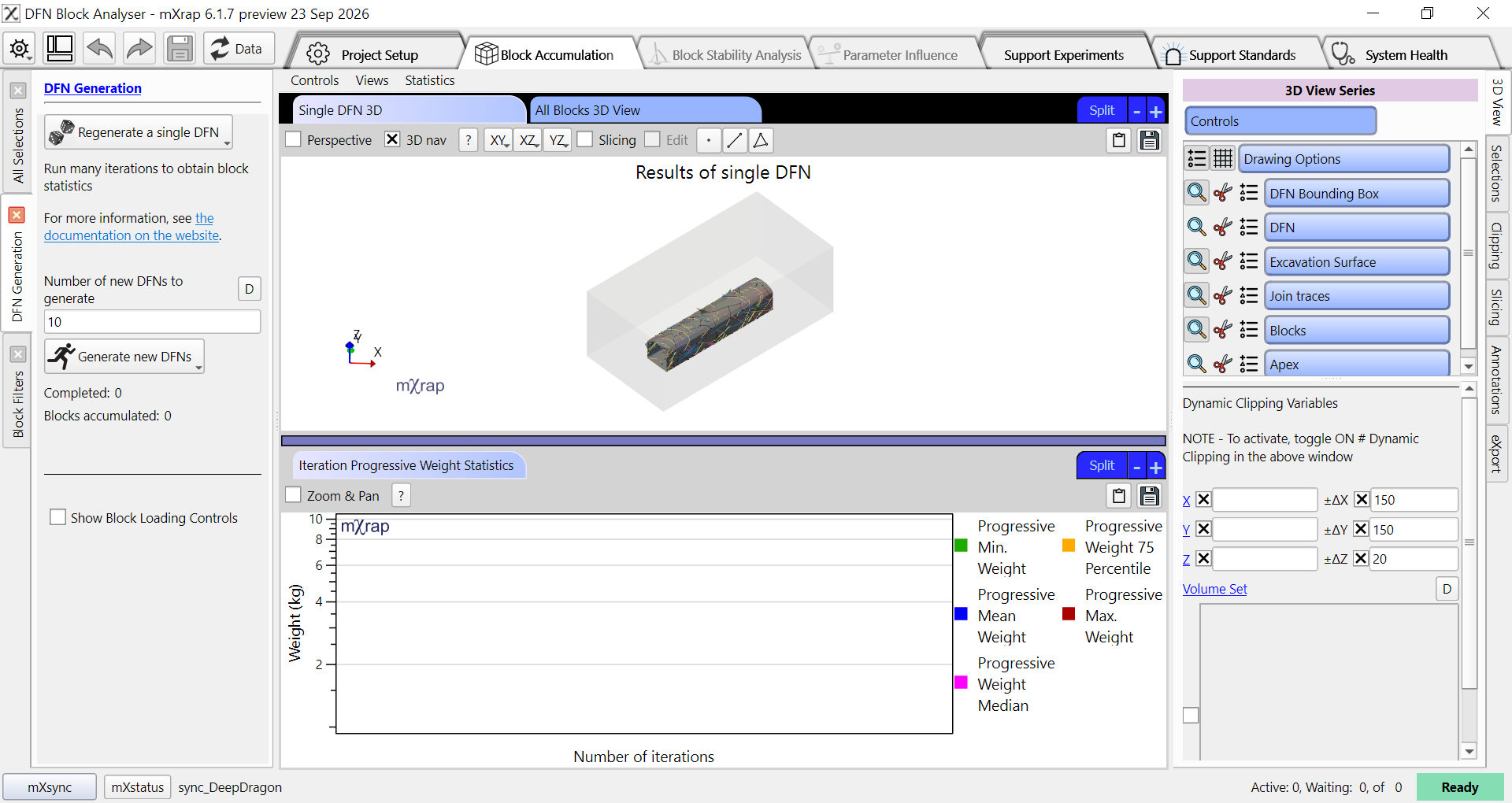
If we set 10 DFNs to generate and click the button, then the block finding process will run for 10 DFN realisations. When these realisations are completed, all of the new blocks will be loaded for analysis.
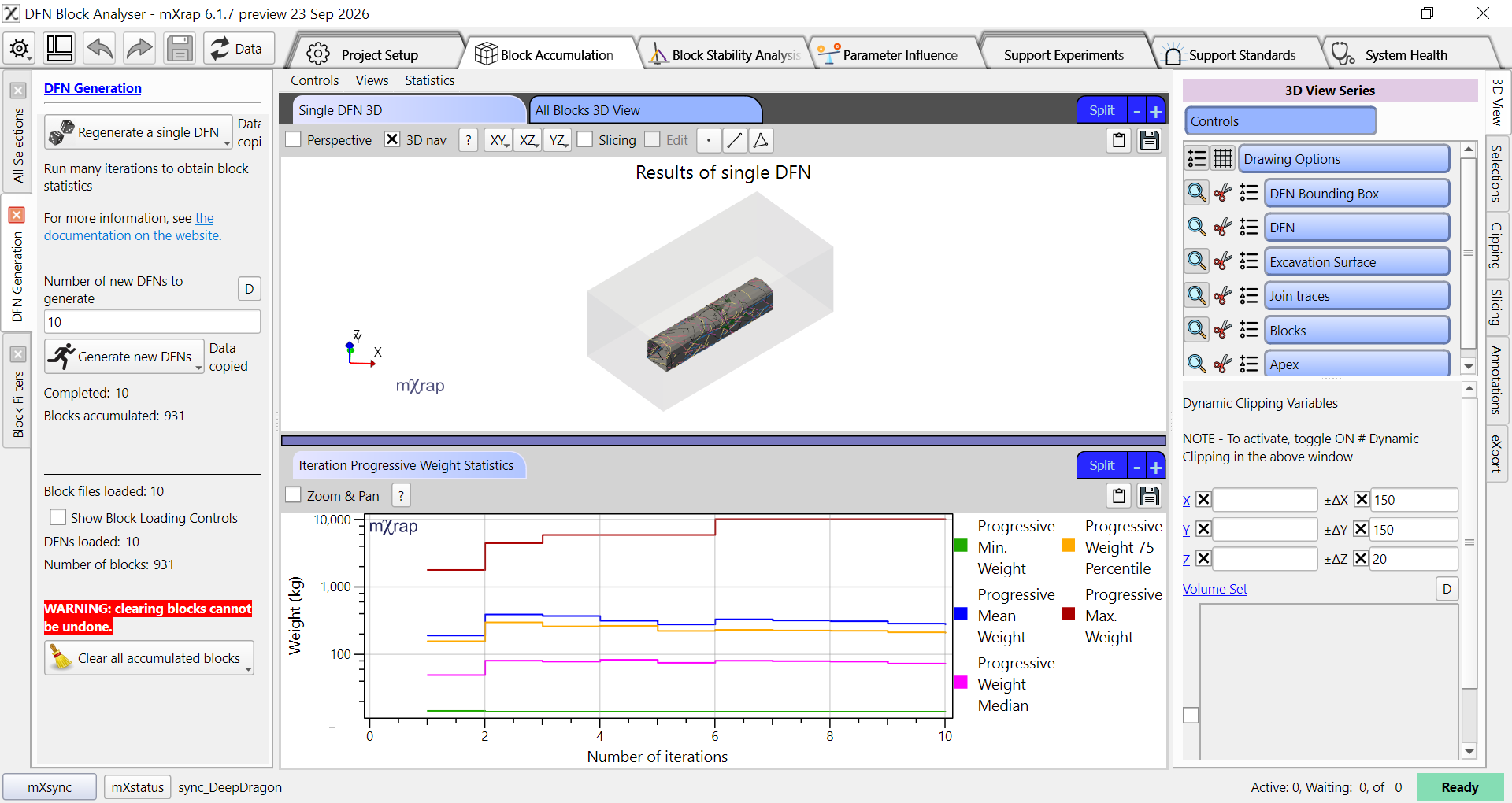
The Single DFN 3D view (top) shows the blocks found in the current DFN realisation. The All Blocks 3D View (top, alternate) shows all blocks that have been loaded from the project folder. At the bottom of the screen the Iteration Progressive Weight Statistics chart shows statistics about the accumulated block weights, calculated progressively across all runs. For example, the mean weight line at X=5 will show the mean weight of all blocks from the first 5 DFN realisations.
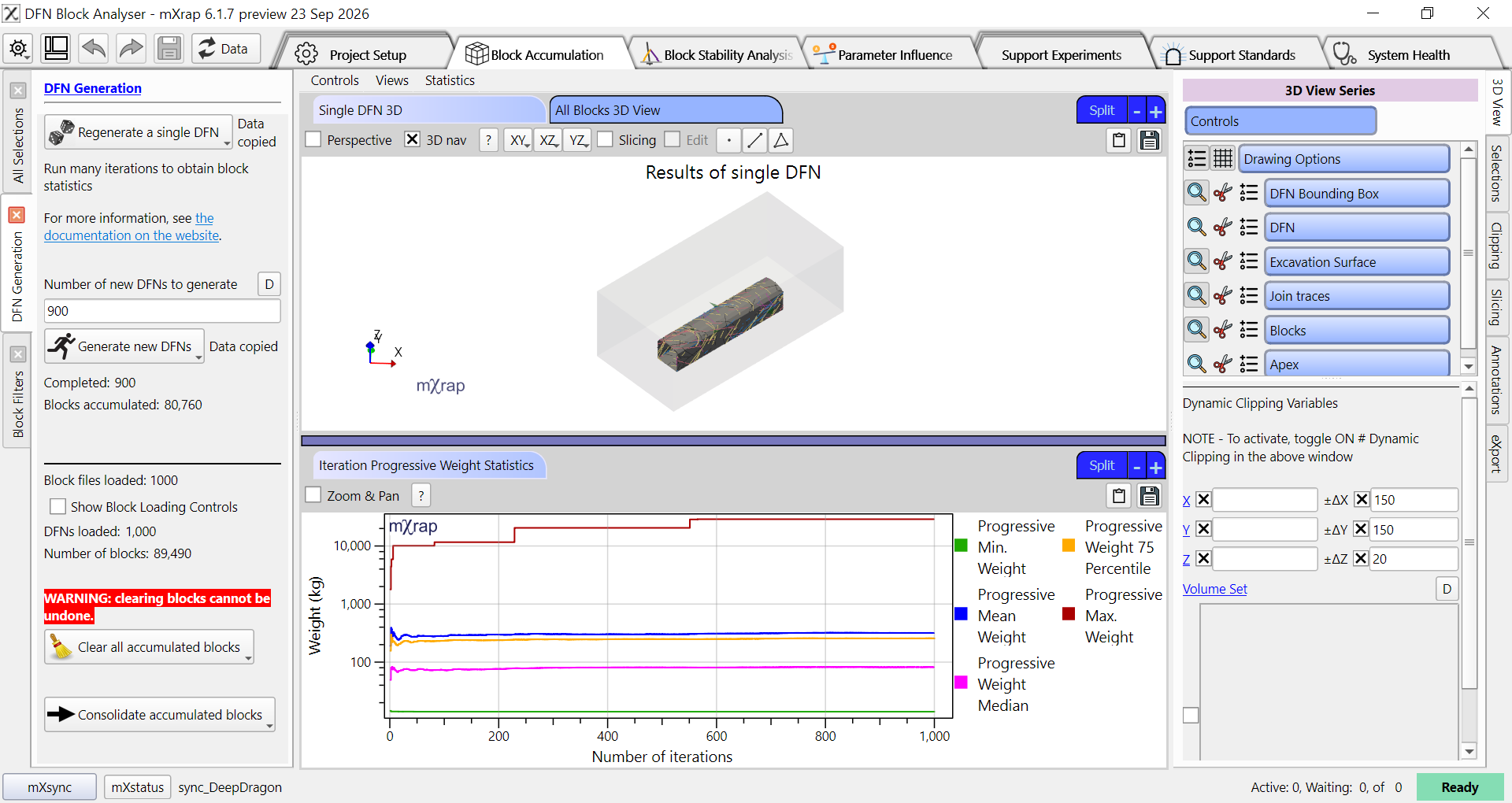
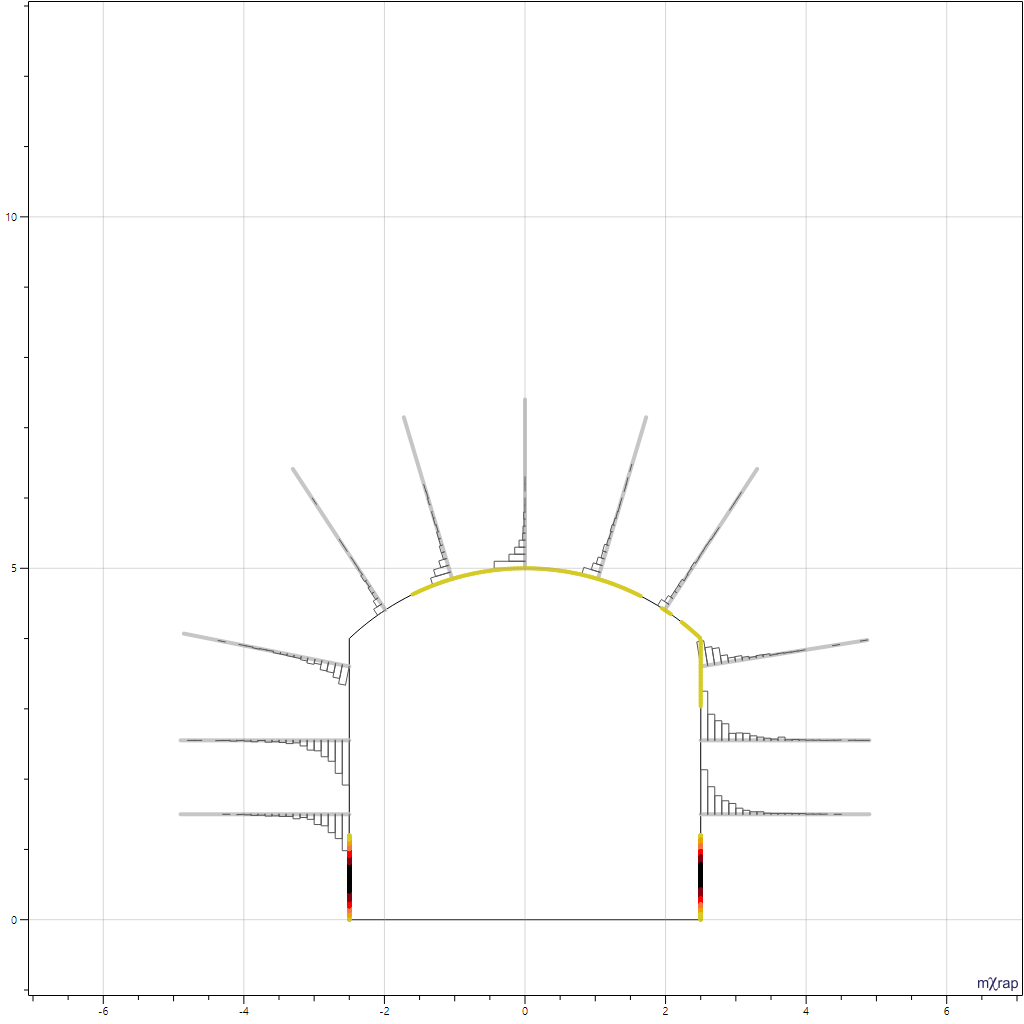
We want to run enough DFN realisations for these lines to stabilise, and so that we get a good distribution of block formation around our excavation surface. In the image below we have generated an additional 90 DFN realisations, making 100 total. We can see that the weight statistics look fairly stable. If we look at the profile view below we can see a histogram of block intersection depths plotted along each bolt, and we can see that these distributions have not begun to stabilise yet.
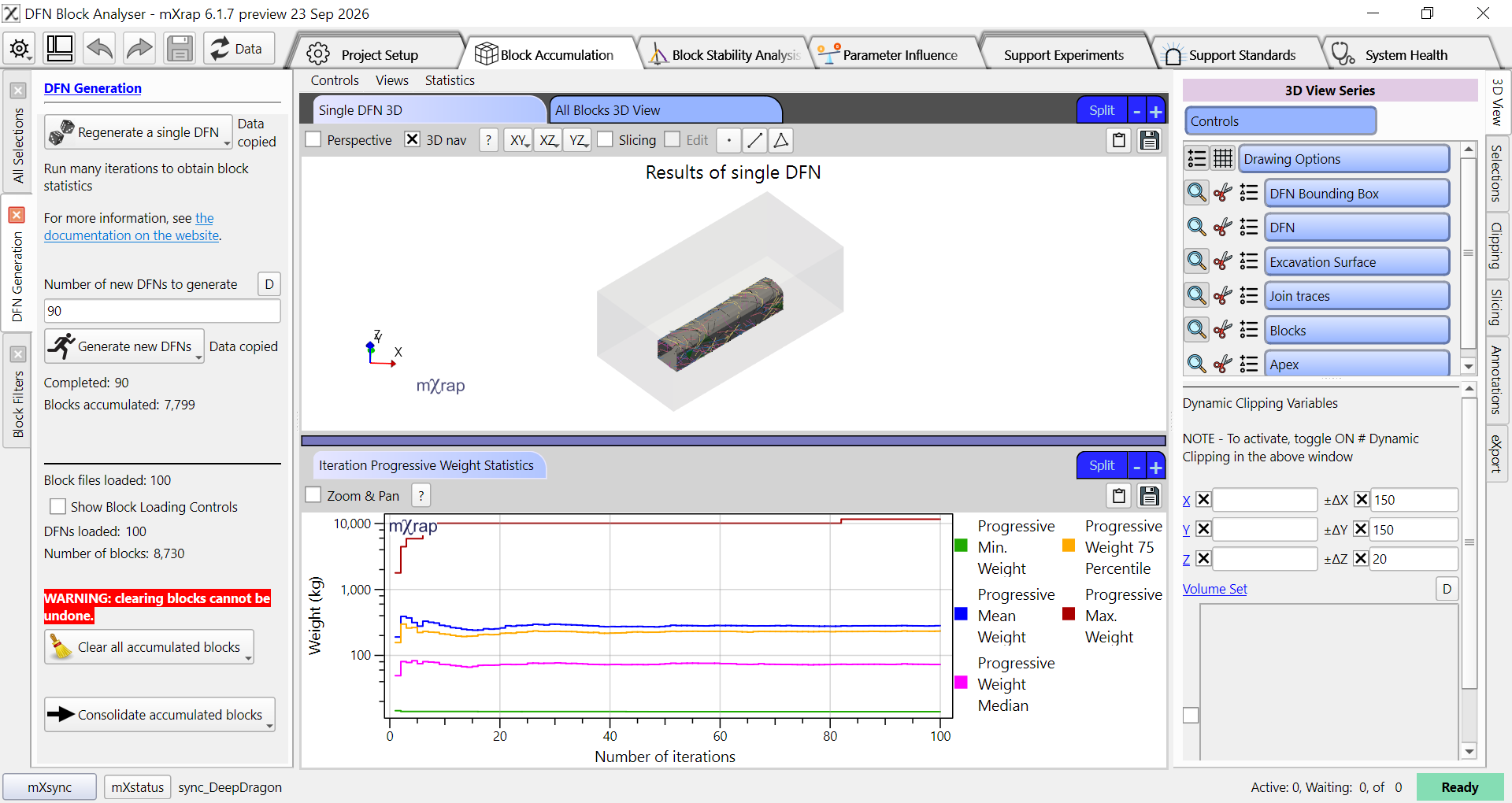
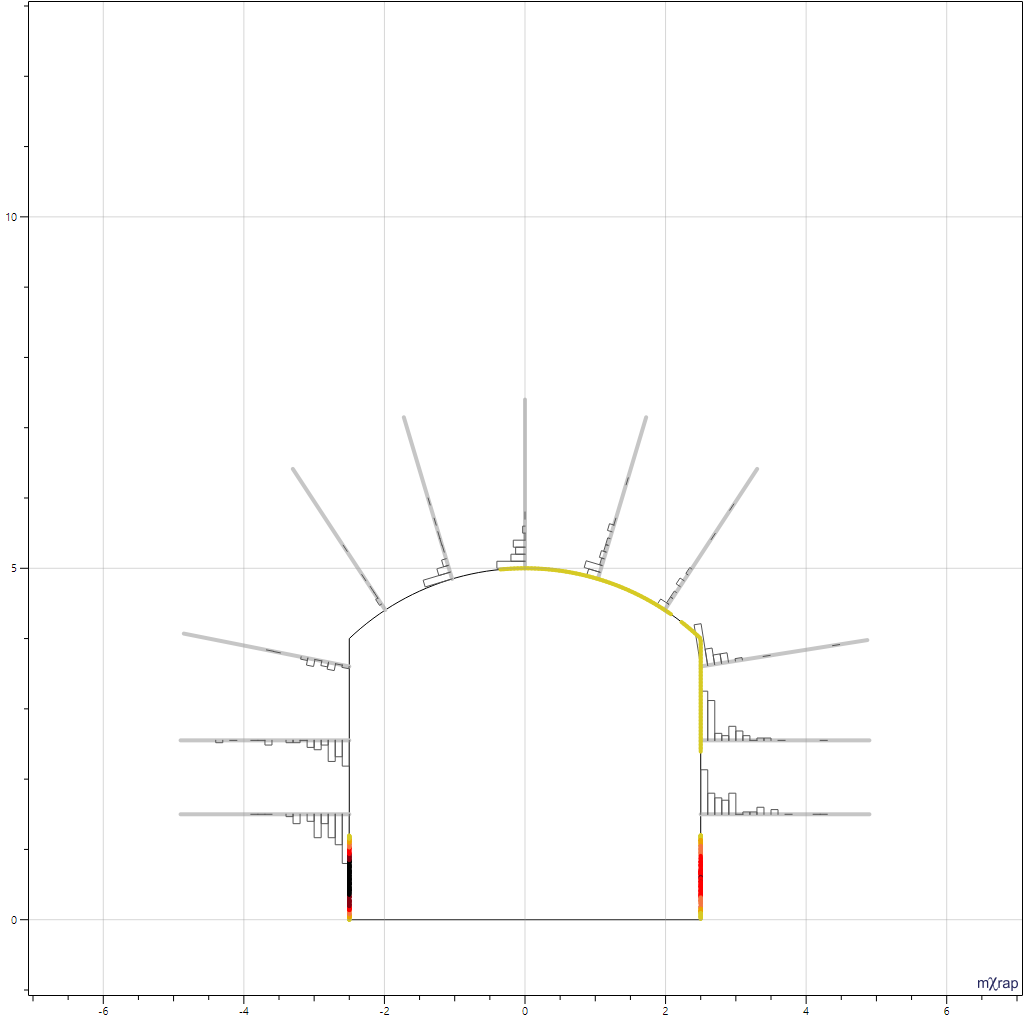
After adding another 900 DFN realisations to the project we can see that the maximum observed block weight increased significantly after around 250 total realisations and 550 realisations. Even though the weight statistics looked like they were stabilising after 100 total realisations, the maximum weight at that point was around 12t, whereas it is around 29t after 1000 total realisations. In the profile view below we can also see that the distribution of block intersection depths on the bolts is beginning to stabilise, showing that we are getting a more representative distribution of block shapes across all areas of the drive profile.