Generate
Purpose
Run the scripts which predict stope performance and surfaces.
Steps
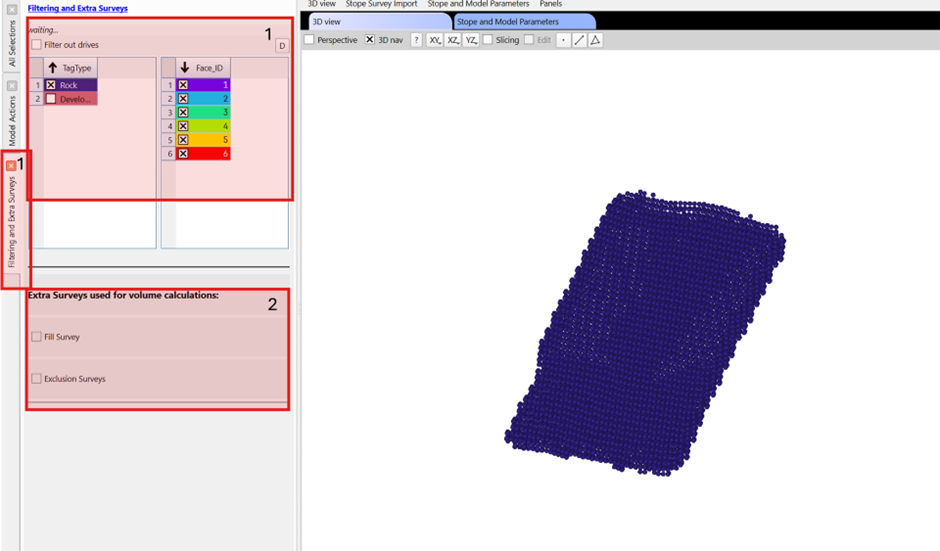
- Filter octrees that aren't represented in the model. Typically exclude development and fill faces. Note, filtered octrees will be given a predicted distance of 0m to build the predicted geometry.
- Import fill/exclusion surveys (optional). These are used for the predicted reconciliation in the next window.
- Select the relevant model e.g. different models may include/exclude blasts (to allow for long term and short term prediction) or be for a specific region of the mine.
- Set the prediction thresholds. Thes values will be used to generate the predicted geometries which can be reconciled. The average case (50%) is always generated but a site may find an OB focused prediction (>50%) or UB focused prediction (<50%) can be better calibrated to observed performance.
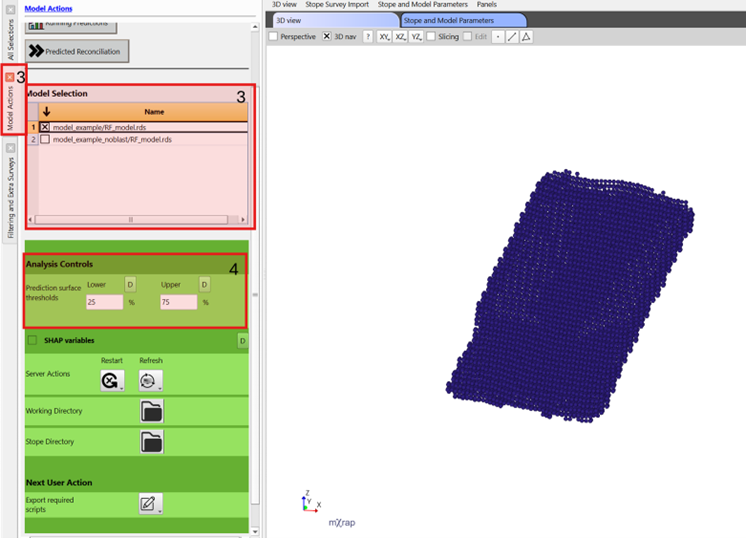
- Generate predictions by pressing the sequential actions as they update:
- Export required scripts
- Run model execution. This stage may take 5-10minutes depending on computer specifications.
- Build predicted surfaces. This stage only takes a few seconds.
- Move files for visualisation.

astuce
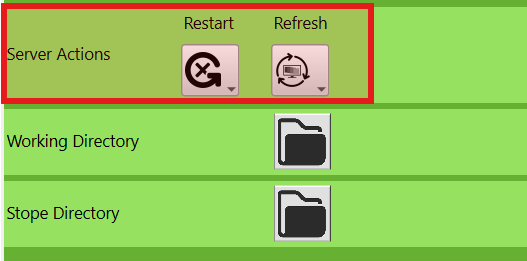
If the action doesn't match the step you are trying to do, hit the restart and refresh options to bring it back to the first step. You may need to press them a couple of times.
attention
Do not close the bat files that open while scripts are running, they will close when finished.
Video
Explains the Generate window layout and tools in the stope reconciliation Prediction Module.